Pilot Projects

NeuroNavigator

A campus-aware executive function co-pilot for U-M students and staff, aligned with Universal Design for Learning. It is built for university ecology, not another isolated to-do list.

University of Michigan research pilot · Summer 2026

NeuroNavigator

A campus-aware executive function co-pilot for U-M students and staff, aligned with Universal Design for Learning. It is built for university ecology, not another isolated to-do list.

Pilot in progress. Not yet open for public access.

NeuroNavigator is a University of Michigan research pilot (Summer 2026) that helps students plan by energy and syllabus sequence, break assignments into clear steps, and work in a sensory-safe focus space. Staff get EF tools without the student Today flow. Faculty get a separate home with insights and design checks. Listen buttons, calm themes, and on-device rephrasing keep the experience accessible. No diagnosis is required.

  • Syllabus-to-steps and energy-based planning
  • Student, staff, and faculty workspaces
  • Sensory-safe focus tools with listen-aloud support
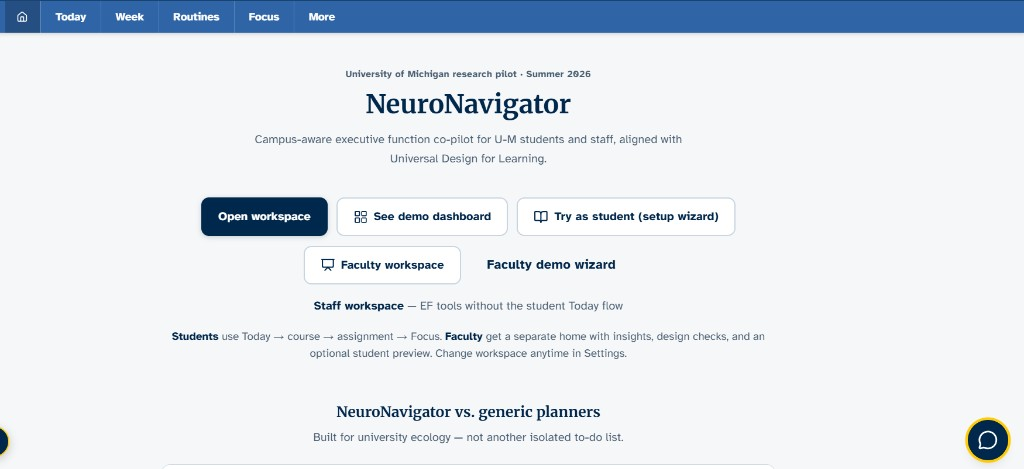
NeuroNavigator home screen describing a campus-aware executive function co-pilot for U-M students and staff.
Home workspace for students, staff, and faculty. Aligned with Universal Design for Learning, not a generic to-do list.

Who it serves

Students, staff, and faculty: different homes, same campus ecology

Students

Today → course → assignment → Focus. Build routines, break work into steps, and use listen buttons throughout.

Staff

A staff workspace with executive-function tools without the student Today flow.

Faculty

A separate home with insights, design checks, and an optional student preview for teaching support.

Built for university ecology

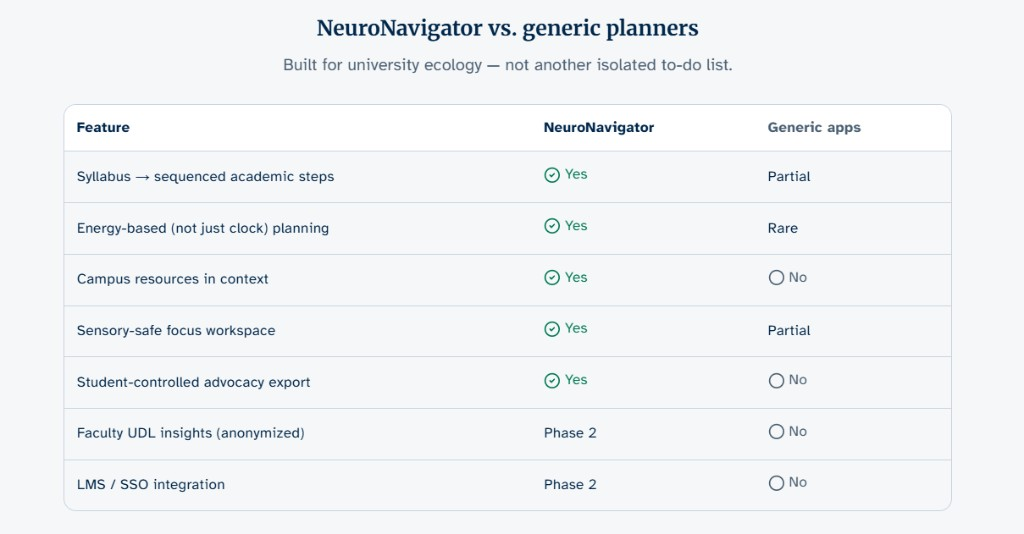
NeuroNavigator vs. generic planners

Built for university ecology, not another isolated to-do list. Features include syllabus-to-steps planning, energy-based scheduling, campus resources in context, sensory-safe focus, and student-controlled advocacy export. Faculty UDL insights and LMS or SSO integration are planned for Phase 2.

Comparison table: NeuroNavigator versus generic planners across syllabus sequencing, energy-based planning, campus resources, sensory-safe focus, advocacy export, and Phase 2 faculty and LMS features.
Side-by-side feature comparison showing how NeuroNavigator supports campus learning workflows beyond a generic planner.

Student demo · Set up from zero

A guided start that listens as well as it shows

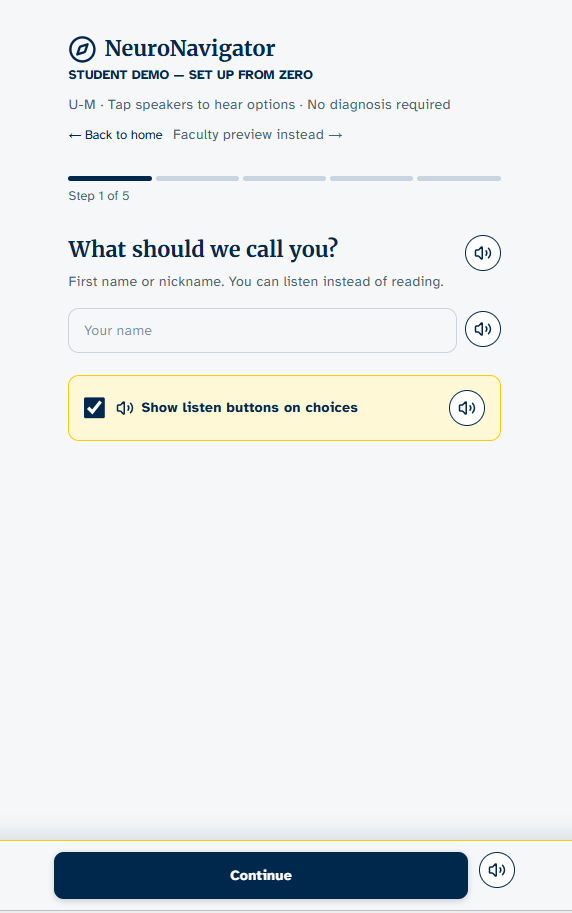
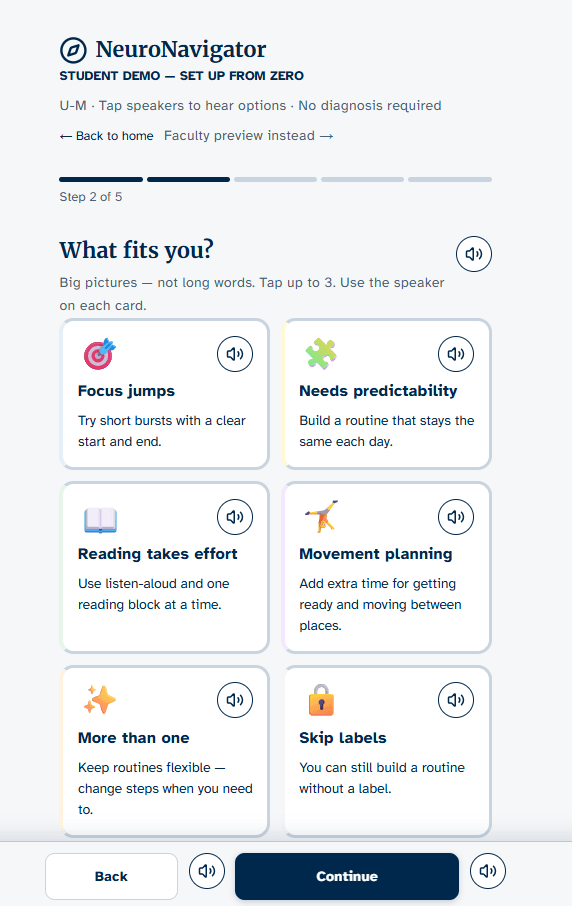
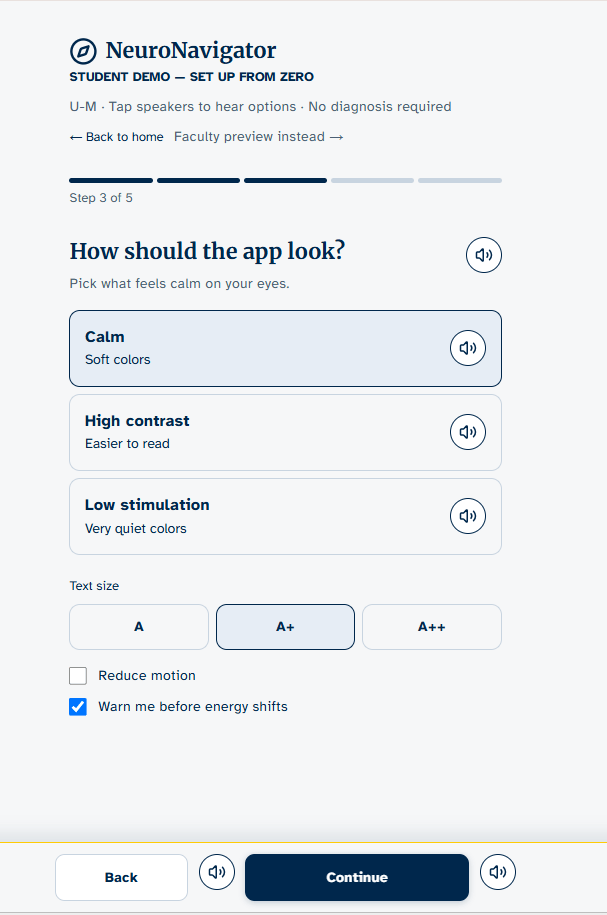
The student setup wizard walks people through naming, needs, look-and-feel, and energy windows. Speaker controls sit beside choices so students can hear options instead of only reading them.

  • NeuroNavigator screenshot: Start from zero

    Start from zero

    Students choose a name or nickname and can listen instead of reading. No diagnosis is required.

  • NeuroNavigator screenshot: What fits you

    What fits you

    Big-picture choices such as focus jumps, predictability, reading effort, and movement planning, without medical labels.

  • NeuroNavigator screenshot: Calm on the eyes

    Calm on the eyes

    Themes, text size, reduced motion, and energy-shift warnings so the interface matches sensory needs.

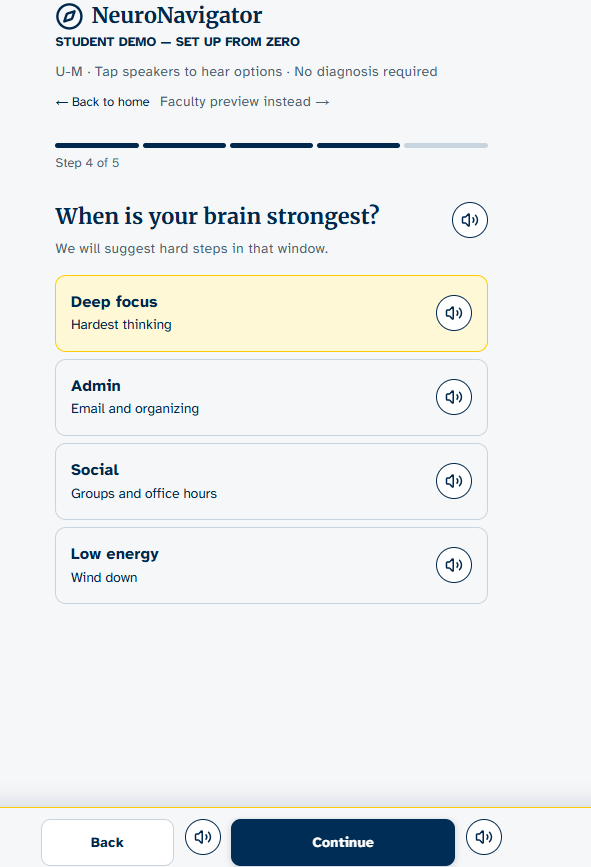
  • NeuroNavigator screenshot: When your brain is strongest

    When your brain is strongest

    Students mark deep-focus, admin, social, or low-energy windows so harder steps land at the right time.

From notes to action

Routines and assignments that reduce overwhelm

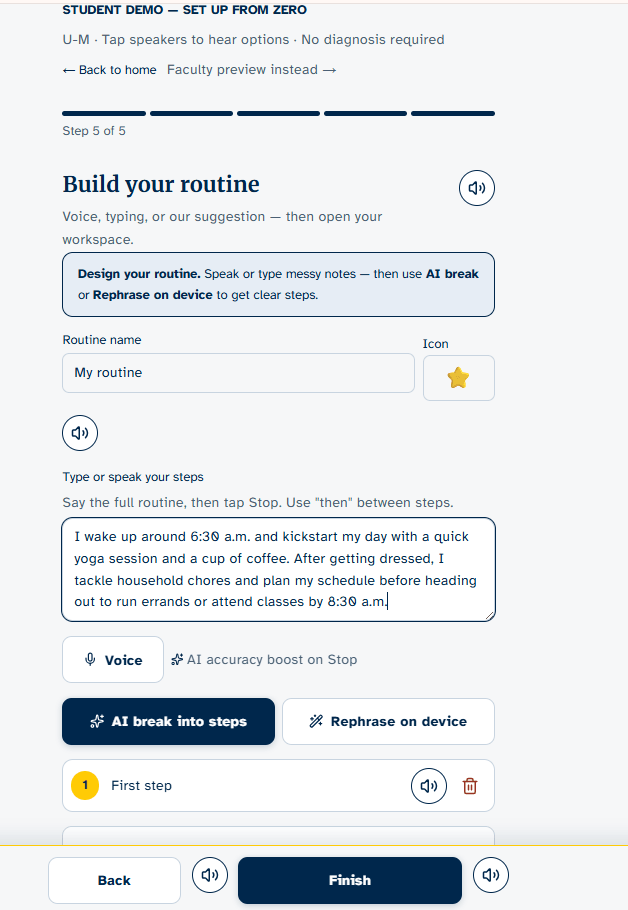
  • NeuroNavigator screenshot: Build a routine

    Build a routine

    Speak or type messy notes, then use on-device AI to break them into clear steps. Processing is privacy-first. No cloud is required for that pass.

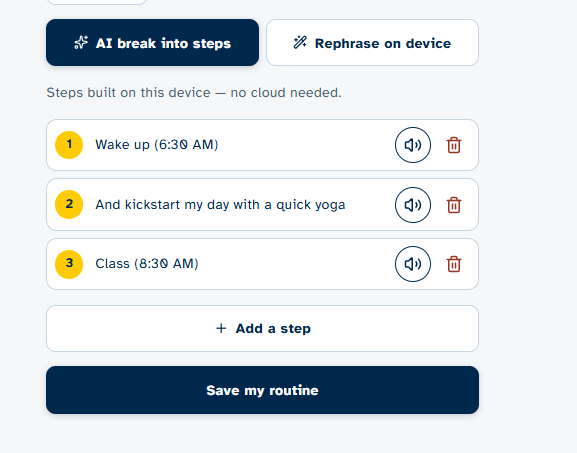
  • NeuroNavigator screenshot: Clear, numbered steps

    Clear, numbered steps

    Each step can be listened to aloud, edited, or removed. Routines stay on the device unless the student chooses otherwise.

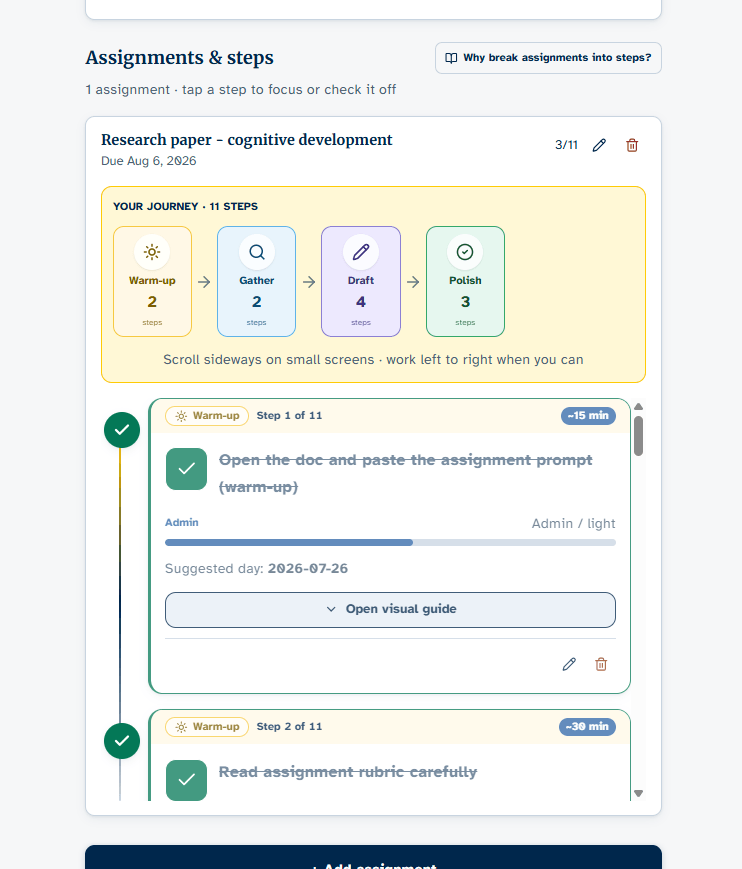
  • NeuroNavigator screenshot: Assignments as a journey

    Assignments as a journey

    Large papers become Warm-up → Gather → Draft → Polish, with time estimates, suggested days, and visual guides for each step.

← Back to Pilot Projects